
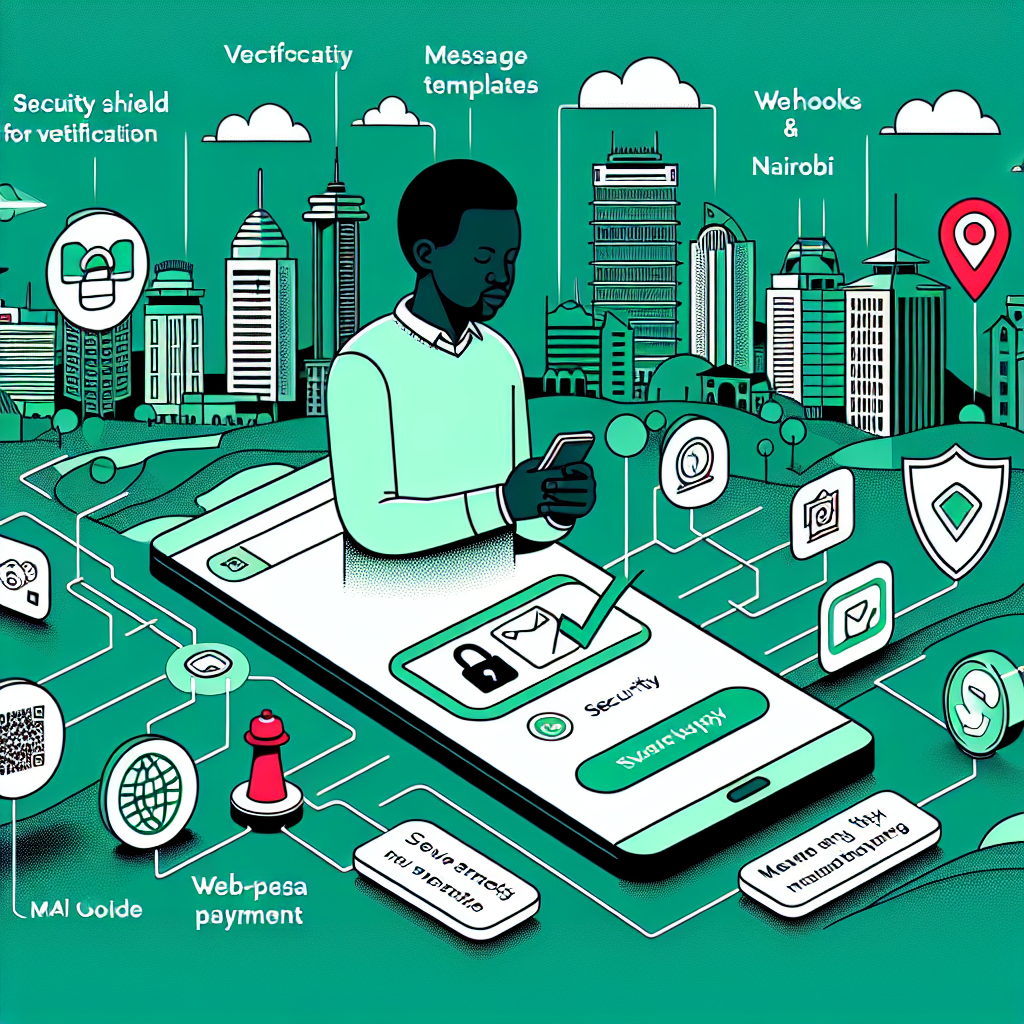
Why WhatsApp Business API is mission-critical in Kenya in 2026
Kenya’s customers live on WhatsApp. From Nairobi to Kisumu, buyers research, chat, and pay through their phones—often in the same session. If you want to meet them where they spend their time, the WhatsApp Business Platform (WABA) is your direct, high-intent channel.
This guide shows you exactly how to use WhatsApp Business API in Kenya—what it takes to launch, how pricing works in KES, and the proven playbooks that drive ROI. You’ll also learn how to connect conversations to M-Pesa, run Click to WhatsApp (CTWA) ads that convert, and stay compliant with Kenya’s data protection rules.
Whether you’re an enterprise, a fast-scaling Ecommerce brand, or a growing small business, WhatsApp in 2026 is no longer a nice-to-have—it’s your primary customer engagement rail.
Eligibility, setup flow, pricing, and launch checklist at a glance
At a glance
- Eligibility: Any legally registered Kenyan or global business that completes Facebook Business Verification (FBV) and adheres to WhatsApp’s commerce and business policies.
- Setup flow: Verify business → Create WABA → Register a phone number → Approve templates → Connect webhooks → QA → Go live.
- Pricing (2026): Conversation-based pricing by category (Marketing, Utility, Authentication, Service). Rates vary by country; bill in local currency with many BSPs.
- Launch checklist: Opt-in capture live, branded display name, template approvals, 24-hour support workflows, M-Pesa flows, dashboards, and quality rating watch.
Use this section as your launch scoreboard so your team can move from zero to live reliably and fast.
Requirements and Compliance in Kenya: Business verification, opt-in rules, data protection, and phone number types
Business verification (FBV)
- Submit your legal entity name, registration docs, and a verified business address/phone in Facebook Business Manager.
- Match your WhatsApp Display Name to your brand and ensure it aligns with WhatsApp’s naming guidelines.
Opt-in rules
- Obtain clear, opt-in consent before messaging. Collect opt-in via website forms, QR codes in-store, CTWA ads, or SMS-to-WhatsApp prompts.
- Always state what users will receive (e.g., order updates, promotions) and provide an easy opt-out path (e.g., “Stop”).
Data protection in Kenya
- Comply with Kenya’s Data Protection Act (2019) and guidance from the Office of the Data Protection Commissioner (ODPC).
- Maintain a lawful basis for processing, minimize data collection, and document retention schedules. Ensure DPAs with processors, including your BSP.
- Encrypt data in transit and at rest where possible, and restrict access with role-based controls.
Phone number types
- Use a number that can receive voice calls or SMS for registration (mobile, landline, or toll-free with voice). Short codes are not supported.
- Keep the number exclusive to WhatsApp API (it can’t be in use on the WhatsApp consumer or Business App simultaneously).
Choosing a WhatsApp BSP (2026): Pricing models, conversation categories, M-Pesa billing, SLAs, and integration options
BSP vs. Cloud API self-hosted
- BSP (Business Solution Provider): Faster go-live, managed scaling, compliance help, KES/M-Pesa billing, message QA tools.
- Cloud API (direct): Lower infra cost but you own hosting, monitoring, and compliance workflows.
Pricing models
- Meta conversation fees (by category) + BSP markup or platform fee.
- Some BSPs offer volume tiers, pre-purchased credits, or bundled automation seats.
Conversation categories (2026)
- Marketing: Promotions, offers, new launches.
- Utility: Order updates, shipping, reminders, post-purchase notifications.
- Authentication: One-time passcodes and login verification.
- Service: User-initiated conversations within the 24-hour window.
M-Pesa-friendly billing
- Prefer BSPs that accept M-Pesa PayBill/Till, send KES invoices, and reconcile usage transparently.
- Check whether they support M-Pesa STK push or link you with local gateways for end-customer payments in chat.
SLAs and integrations
Step-by-Step Setup: Facebook Business verification, WABA creation, number registration, templates, webhooks, and QA
1) Facebook Business Verification
- Complete FBV with legal docs and domain verification.
- Enable WhatsApp Business in Business Manager and assign admin roles.
2) Create your WABA
- In Business Manager, create a WhatsApp Business Account (WABA) and assign your BSP or app to it.
- Set your Display Name, business description, and compliance details.
3) Register your number
- Pick a dedicated phone number. Ensure voice/SMS access for the one-time code.
- Complete voice/SMS verification; then set messaging limits and two-step verification.
4) Create and approve templates
- Draft templates for Marketing, Utility, and Authentication. Keep them specific, non-spammy, and personalized with variables like {{1}}.
- Use sampled examples in English or Swahili. Expect quick reviews; rework & resubmit if rejected.
5) Webhooks and integrations
- Set a webhook URL to receive events like
messages,statuses,message_template_status_update. - Secure your webhook with a verify token and validate X-Hub-Signature headers.
6) QA and pilot
- Test inbound/outbound flows, CTWA ad handoffs, opt-in capture, and failover logic.
- Run a 2–4 week pilot with real customers, monitor delivery/read rates, and refine templates before full launch.
Pricing and Budgeting in KES: Conversation-based pricing, estimated monthly spend, and optimization tips
How pricing works
- Meta charges per 24-hour conversation window, categorized as Marketing, Utility, Authentication, or Service.
- Each category has a different rate for Kenya. Your BSP may add a small markup or platform fee.
- Some entry points (like the first user-initiated service conversation from an ad) may include free windows or discounts—confirm current terms.
Example monthly budget (illustrative)
- Assume: 5,000 Service conversations, 3,000 Utility, 1,500 Marketing, 500 Authentication.
- Plug Kenya rates from Meta’s pricing page and multiply by volume. Add BSP fees and VAT.
- Convert USD to KES at your finance team’s rate or settle directly in KES if your BSP supports it.
Optimization tips
- Deflect to Service windows: Encourage customers to reply within 24 hours to minimize additional paid windows.
- Template hygiene: Keep Marketing templates high-value and targeted to protect quality and yields.
- Batch Utility updates: Consolidate order stages where possible to reduce separate conversations.
- A/B test CTWA ads: Reduce CPA so each paid Service window yields more revenue.
Pricing changes periodically. Always re-check Meta’s official pricing and your BSP dashboard before committing budgets.
Use Cases and Playbooks: Support automation, order updates, lead gen, broadcasts, and abandoned cart recovery
Support automation
- Build a smart menu for FAQs, order status, returns, and store locations. Escalate to a live agent within the 24-hour window.
- Tag conversations by intent and route by skill (billing vs. technical). For SaaS, pipe critical issues to engineering on-call.
Order updates and logistics
- Send Utility templates for post-purchase updates: confirmation, dispatch, delivery, and pickup reminders.
- Retailers and logistics teams can embed tracking links and quick-reply buttons.
Lead generation
- Use CTWA ads with prefilled questions. Auto-qualify leads and book demos or site visits for real estate or education brands.
- Sync lead data to your CRM/CDP with proper consent flags.
Broadcasts and promotions
- Send segmented Marketing templates to opted-in lists. Personalize with first name and last purchase.
- Coordinate messages with B2B webinars, events, or seasonal campaigns.
Abandoned cart recovery
- Trigger after 30–60 minutes with dynamic product cards, a discount code, and a one-tap checkout link.
- For ecommerce, combine with M-Pesa pay links to complete the loop inside chat.
Growth and Analytics: Entry points (QR, wa.me, CTWA ads), flows, segmentation, and quality rating monitoring
Entry points
- QR codes: Place on packaging, receipts, and shop windows. Track with UTM parameters.
- wa.me links: Use short links in email signatures, SMS, and social bios.
- CTWA ads: Run Facebook/Instagram ads that open a WhatsApp thread with a prefilled greeting.
Flow design
- Welcome message → Intent capture (buttons) → Guided resolution → Agent handover if needed → Feedback CSAT.
- Fail-safe with human escalation and business hours notices.
Segmentation
- Segment by lifecycle (new vs. repeat), category interest, purchase value, and location (Nairobi, Mombasa, Eldoret, Nakuru).
- Sync segments from your CRM and respect opt-in scopes (e.g., promotions vs. updates).
Quality rating monitoring
- Track number quality rating (High/Medium/Low). Drops may throttle reach and template approvals.
- Watch block rates, spam feedback, and delivery/reads. Immediately pause poor-performing templates and rework copy.
Conclusion: Go-live checklist and next steps to scale with compliance
Go-live checklist
- FBV completed, WABA created, number verified, display name approved.
- Opt-in points active (QR, wa.me, CTWA), templates approved, CSAT flow set.
- Webhooks live, CRM/CDP integrated, agent routing and SLAs defined.
- Quality rating dashboard monitored, data protection controls audited.
- M-Pesa flows tested end-to-end; billing and finance recon confirmed.
From here, scale thoughtfully: enrich segments, expand use cases, and tighten compliance. For advanced funnel strategy, explore sector-specific guidance like Technology, Retail, and Enterprise playbooks.
FAQ: BSP choice, template rejections, quality rating drops, 24-hour window, and bans
Which BSP should we choose?
Pick a provider with Kenya experience, M-Pesa/KES billing, robust analytics, and SLA-backed support. Ensure they expose full API/webhook access and have template QA tools.
Why are templates rejected?
Common issues: vague/overly promotional text, missing variable context, or policy violations (e.g., restricted goods). Make content specific and value-led; include sample data and a clear purpose.
What if our quality rating drops?
Pause low-performing campaigns, tighten targeting, and improve frequency caps. Ask for customer feedback, refine copy, and ensure fast agent responses to reduce frustration and blocks.
How does the 24-hour service window work?
When a user messages you, a 24-hour Service window opens. You can reply with freeform messages. After it closes, you can only re-engage using approved template messages (paid by category).
Can we get banned?
Yes—if you violate policies (spam, restricted items, no opt-ins, privacy breaches). Maintain consent logs, allow opt-outs, and follow Kenya’s Data Protection Act and WhatsApp Commerce Policy.
How to Contact: Get the setup checklist or request a quick architecture review
Want a fast, compliant launch in Kenya? Request a WhatsApp architecture review or grab our WABA setup checklist. We’ll help you select a BSP, model pricing in KES, map your M-Pesa flows, and design conversion-first automations.
- Growing DTC brand? Explore Ecommerce Digital Marketing.
- Omnichannel retailer? See Retail Digital Marketing.
- SaaS or B2B pipeline? Visit SaaS and B2B Digital Marketing.
- Local service provider? Check Small Business Digital Marketing.
Tell us your industry, stack, and monthly volumes—we’ll outline a tailored go-live plan in under 48 hours.
Comments are closed